
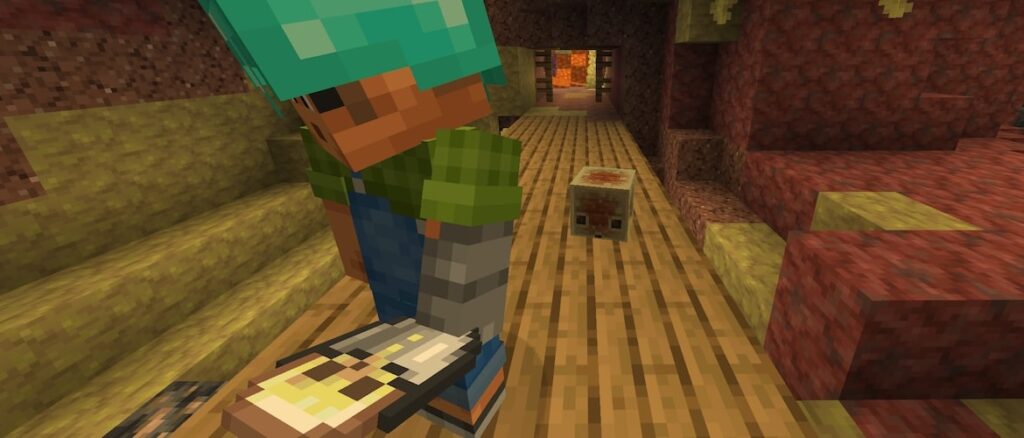
Today we thought we’d bring you a fourth snapshot for 26.2! With this release we have added in language support for two new languages and made some changes to the sulfur cube and the sulfur cave biome. Also in this release, our peaceful players can now spawn Hoglins, Piglins and Sulfur cubes!
Happy Mining!
New Features
Added Swiss French language support to the game
Added Chuvash language support to the game
Sulfur Cube mob
Naturally-spawned small Sulfur Cubes now have the correct size
The outer texture of the Sulfur Cube has been updated
Sulfur Caves biome
Granite and Tuff blocks are now dispersed between Sulfur and Cinnabar blocks
The Sulfur Spike Clusters have been made slightly shorter, on average
Changes
Mob Spawning
Hoglins, Piglins and Sulfur Cubes now spawn on Peaceful difficulty
Sounds
Added sounds for when using a bucket on a Sulfur Cube
Technical Changes
The Data Pack version is now 103.0
The Resource Pack version is now 86.1
Data Pack Version 103.0
Attributes
Added minecraft:nameplate_distance
Controls how far away in blocks the nameplate of an entity is visible
The nameplate cannot be visible if the entity is not visible
Accepts values between 0.0 and 512.0
Default value: 64.0
Added minecraft:below_name_distance
Controls how far away in blocks the below_name scoreboard display is visible
The nameplate cannot be visible if the entity is not visible
Accepts values between 0.0 and 512.0
Default value: 10.0
Predicates
Entity Predicates
Slime sub-predicate has been renamed from minecraft:type_specific/slime to minecraft:type_specific/cube_mob
Resource Pack Version 86.1
The minecraft:beds atlas has been removed
Telemetry
New required events
graphics_capabilities
This is a new event that posts on startup, and informs us of the capabilities of the graphics device used to play the game
Added new property: backend_name
This will be Vulkan or OpenGL, and will help us understand which graphics api players are using
Added new property: backend_failure_reason
This will be a list of short error codes, for example vulkan_device_version_too_low, which will help us identify any issues with our targeted Vulkan requirements
Added new property: backend_failure_message
This will be a short and vague messages, such as Failed to find the GLFW platform surface extensions, which will help us narrow down issues if players are experiencing issues running with Vulkan
Added new property: backend_failure_missing_capabilities
This will be a list of missing capabilities from Vulkan, for example VULKAN_CORE_1_2, VK_KHR_dynamic_rendering, which will help us know which capabilities players would need in order to use Vulkan
Fixed bugs in 26.2 Snapshot 4
MC-186131 – Piglins and hoglins cannot spawn naturally on Peaceful difficulty
MC-296343 – Using the mouse wheel to switch between cast fishing rods briefly displays the uncast texture in first-person
MC-307002 – Using the kill command on one of the end crystals used to respawn the ender dragon no longer aborts the respawn sequence
MC-307327 – VSync limits the framerate inconsistently in fullscreen with the Vulkan rendering backend on some Mac systems
MC-307378 – The glowing effect is not visible with the Vulkan rendering backend on some graphics
MC-307434 – Sulfur cubes cannot spawn naturally on Peaceful difficulty
MC-307532 – Lava buckets now remain filled server-side when emptied into flowing water
MC-307539 – The game crashes upon startup on some Mac systems
MC-307545 – The “High Contrast” resource pack is listed as incompatible
MC-307549 – beds.png-atlas still exists
MC-307587 – Wet sponges are no longer removed from the inventory server-side when placed in the Nether
MC-307624 – The cube mob entity sub-predicate is called type_specific/slime rather than cube_mob
MC-307626 – The selection lists in the pack selection screen can extend outside the bounds of the game window, violating the Vulkan specification
MC-307647 – Crash on startup with the Vulkan validation layer enabled — the NORMAL vertex attribute uses a format without guaranteed VERTEX_BUFFER_BIT support
Get the Snapshot
Snapshots are available for Minecraft: Java Edition. To install the Snapshot, open up the Minecraft Launcher and enable snapshots in the “Installations” tab.
Testing versions can corrupt your world, so please backup and/or run them in a different folder from your main worlds.
Cross-platform server jar:
Report bugs here:
Want to give feedback?